Restricting Image Sources in Kubernetes with Harbor and Kyverno
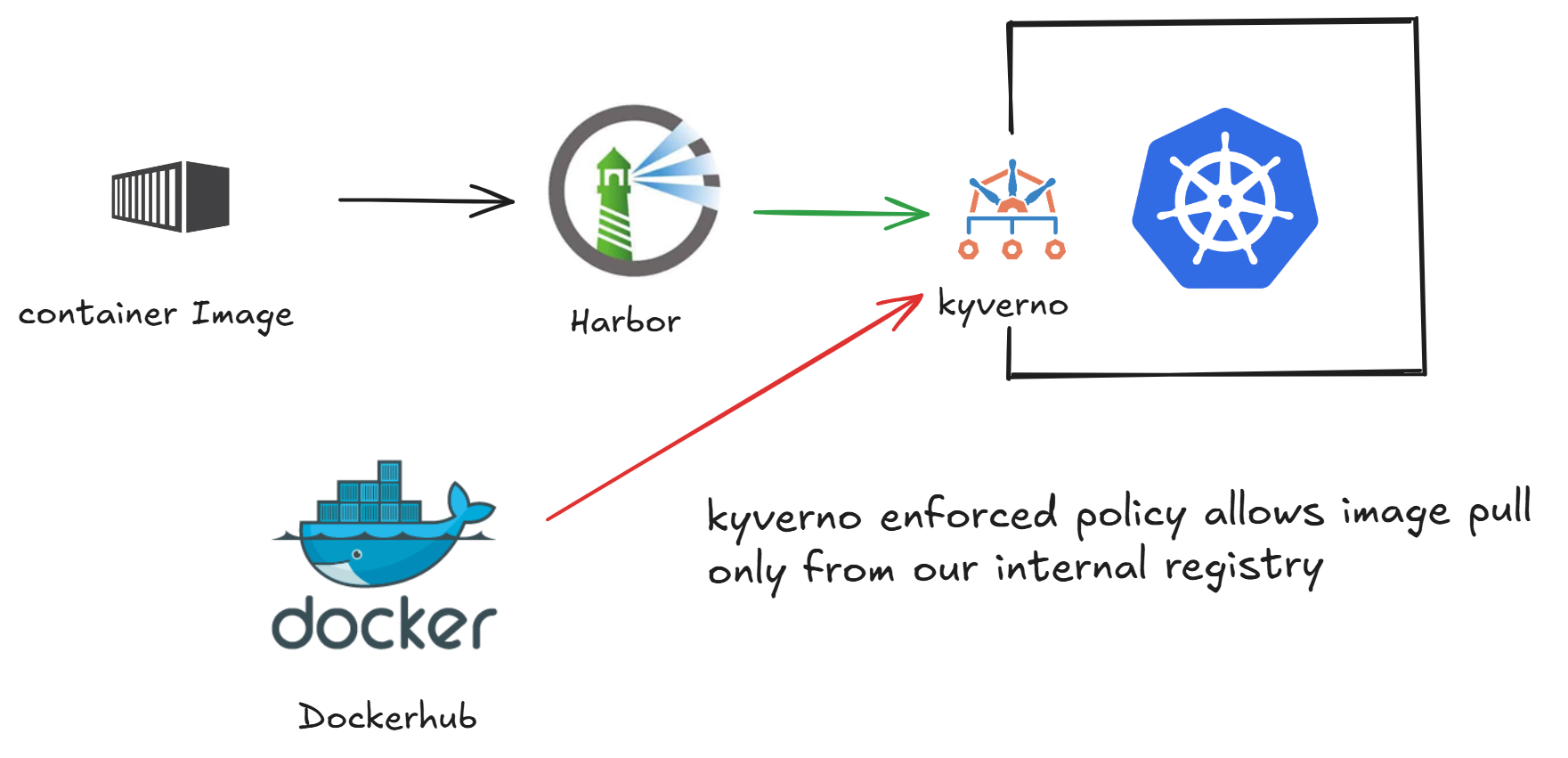
When deploying workloads to Kubernetes, it’s critical to control which container images are allowed into the environment. Pulling images from public or unverified registries introduces security risks such as unscanned vulnerabilities or untrusted third-party code.
We walk through how to restrict image pulls to an internal private registry (Harbor) using Kyverno, a Kubernetes-native policy engine.
Prerequisites
To set this up, I already had:
KinD Cluster Configuration
KinD config to expose NodePort 31034 on the control-plane node for external access from AWS EC2.
1
2
3
4
5
6
7
8
9
10
kind: Cluster
apiVersion: kind.x-k8s.io/v1alpha4
nodes:
  - role: control-plane
    extraPortMappings:
      - containerPort: 31034
        hostPort: 31034
        protocol: TCP
  - role: worker
  - role: worker
1
2
[root@ip-172-31-2-14 ~]# kind create cluster --name my-cluster --config config.yaml
Creating cluster "my-cluster" ...
Installing Harbor
Installing Harbor to set up a private container registry for securely storing and managing Docker images.
Providing custom values to install harbor to customize according to the domain.
1
2
3
4
5
6
7
8
9
10
11
12
13
14
15
16
17
[root@ip-172-31-2-14 ~]# helm install harbor harbor/harbor -n default \
  --set expose.type=nodePort \
  --set expose.tls.enabled=false \
  --set expose.nodePort.name=harbor \
  --set expose.nodePort.ports.http.nodePort=31034 \
  --set harborAdminPassword=Harbor12345 \
  --set externalURL=http://ec2-3-148-167-213.us-east-2.compute.amazonaws.com:31034
NAME: harbor
LAST DEPLOYED: Sun Jul  6 07:38:45 2025
NAMESPACE: default
STATUS: deployed
REVISION: 1
TEST SUITE: None
NOTES:
Please wait for several minutes for Harbor deployment to complete.
Then you should be able to visit the Harbor portal at http://ec2-3-148-167-213.us-east-2.compute.amazonaws.com:31034
For more details, please visit https://github.com/goharbor/harbor
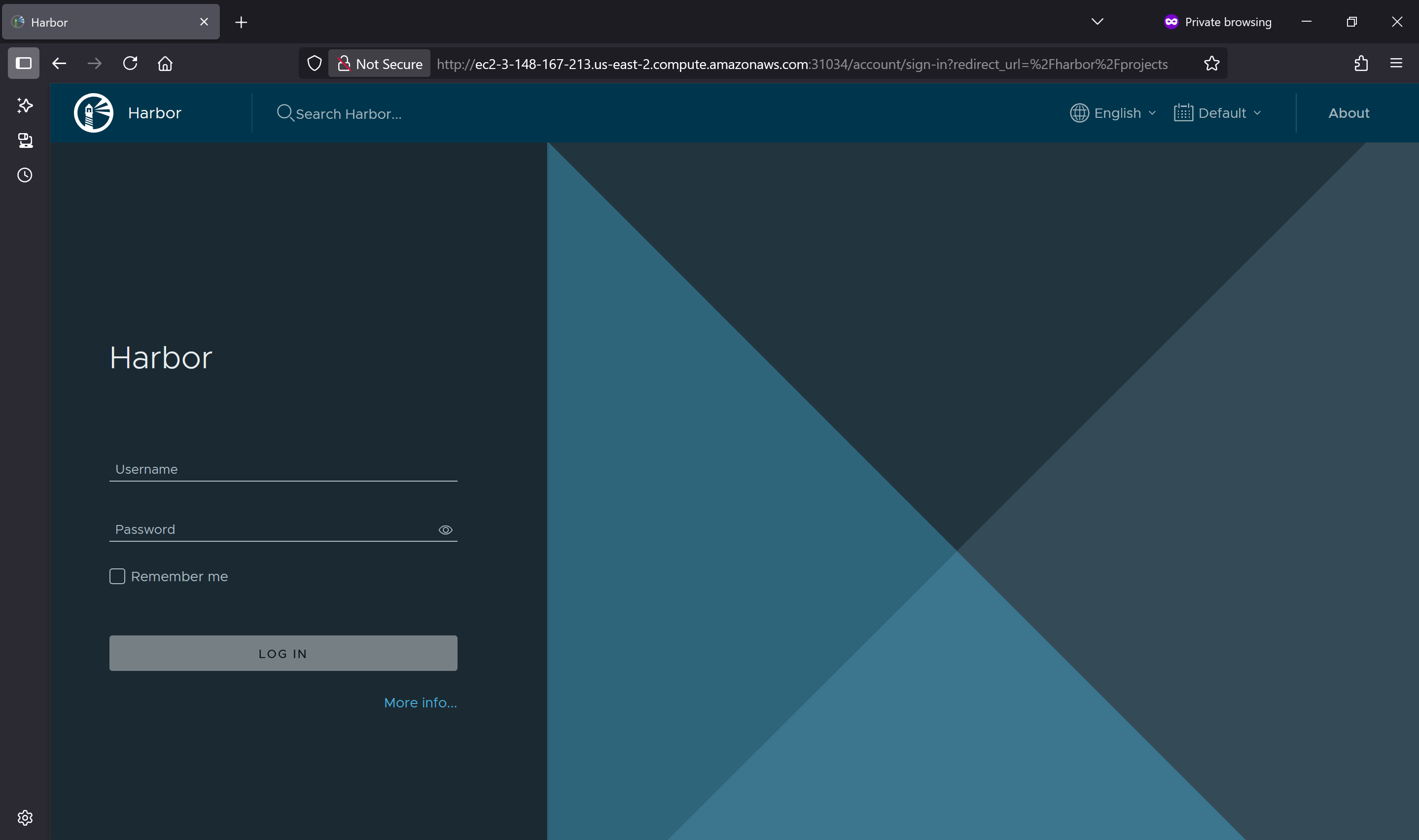
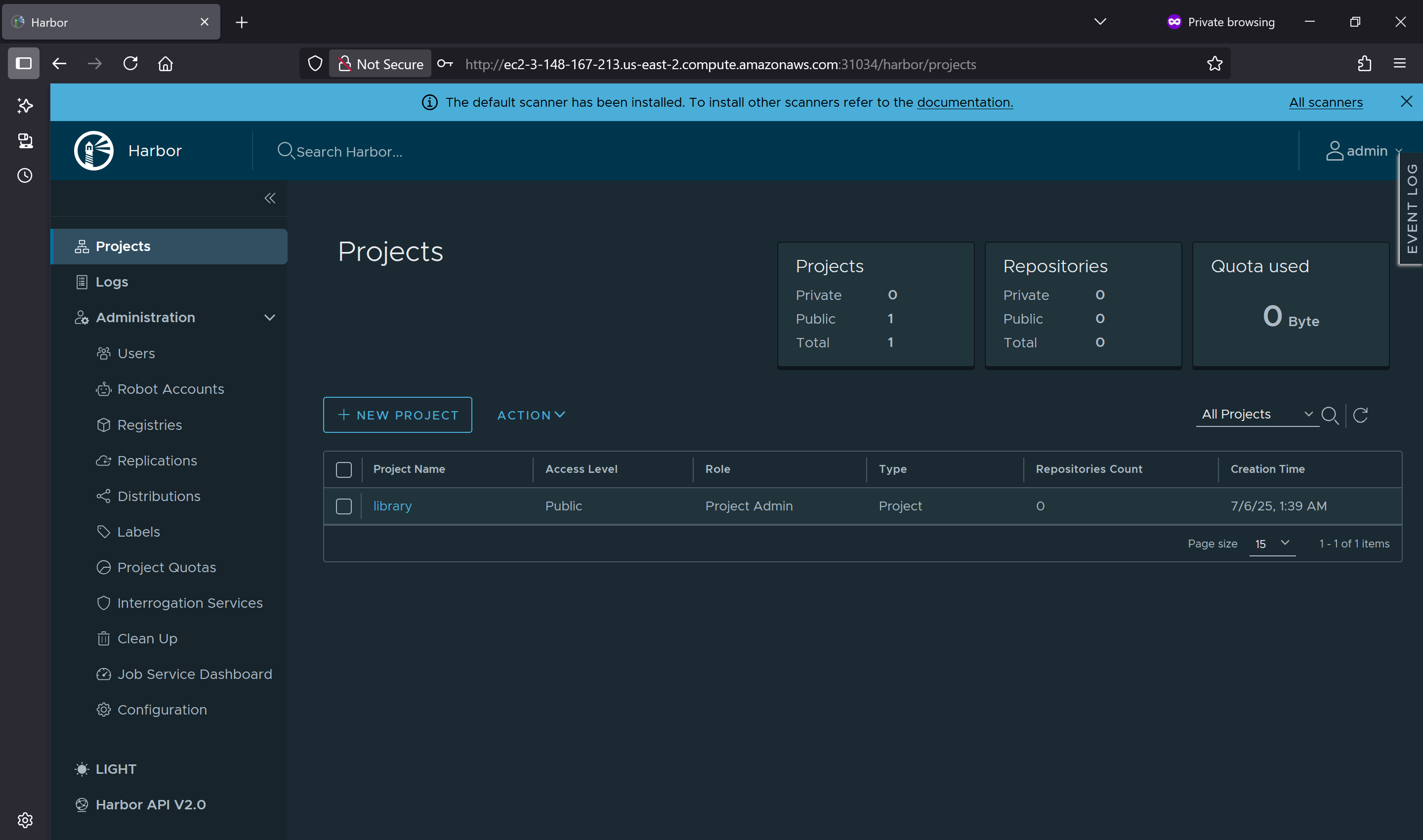
Able to access the console & login
Installing Kyverno
We are using Kyverno to make sure all images come only from our internal Harbor registry.
1
2
3
4
5
6
7
8
9
10
11
12
13
14
15
16
17
18
19
[root@ip-172-31-2-14 ~]# helm repo add kyverno https://kyverno.github.io/kyverno/
helm repo update
"kyverno" has been added to your repositories
Hang tight while we grab the latest from your chart repositories...
...Successfully got an update from the "ingress-nginx" chart repository
...Successfully got an update from the "harbor" chart repository
...Successfully got an update from the "kyverno" chart repository
Update Complete. ⎈Happy Helming!⎈
[root@ip-172-31-2-14 ~]# helm install kyverno kyverno/kyverno -n kyverno --create-namespace
NAME: kyverno
LAST DEPLOYED: Sun Jul  6 07:50:03 2025
NAMESPACE: kyverno
STATUS: deployed
REVISION: 1
NOTES:
Chart version: 3.4.4
Kyverno version: v1.14.4

Thank you for installing kyverno! Your release is named kyverno.
Implement Image Restriction with Kyverno
This Kyverno policy restrict-image-policy.yaml ensures that all containers and initContainers in pods pull images only from our internal Harbor registry, blocking any from external sources.
1
2
3
4
5
6
7
8
9
10
11
12
13
14
15
16
17
18
19
20
21
apiVersion: kyverno.io/v1
kind: ClusterPolicy
metadata:
  name: restrict-image-registry
spec:
  validationFailureAction: Enforce
  background: true
  rules:
    - name: allow-only-internal-registry
      match:
        resources:
          kinds:
            - Pod
      validate:
        message: "Only images from Internal Harbor registery are allowed."
        pattern:
          spec:
            containers:
              - image: "ec2-3-148-167-213.us-east-2.compute.amazonaws.com/*"
            initContainers:
              - image: "ec2-3-148-167-213.us-east-2.compute.amazonaws.com/*"
Push Sample Image to Internal Harbor Registry
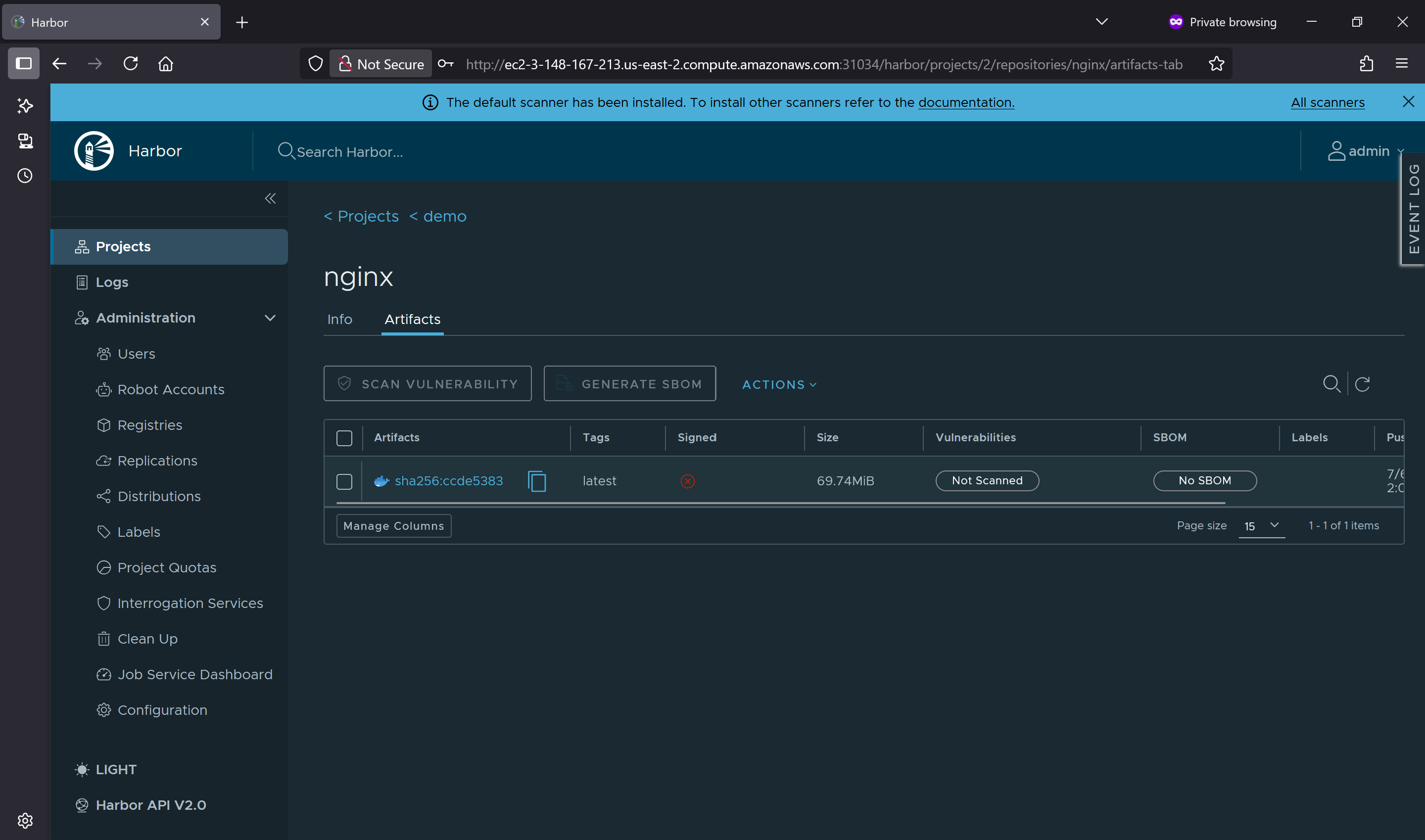
To validate now Kubernetes can only pull images from our internal Harbor registry, we’ll build a simple Docker image, tag it properly, and push it to our project demo on Harbor registry.
1
2
3
4
5
6
7
8
9
10
11
12
13
14
15
16
17
18
19
20
21
22
23
24
25
26
27
28
29
30
31
[root@ip-172-31-2-14 ~]# docker login ec2-3-148-167-213.us-east-2.compute.amazonaws.com:31034
Username: admin
Password:
WARNING! Your password will be stored unencrypted in /root/.docker/config.json.
Configure a credential helper to remove this warning. See
https://docs.docker.com/engine/reference/commandline/login/#credentials-store

Login Succeeded
[root@ip-172-31-2-14 ~]# docker pull nginx:latest
latest: Pulling from library/nginx
3da95a905ed5: Pull complete
6c8e51cf0087: Pull complete
9bbbd7ee45b7: Pull complete
48670a58a68f: Pull complete
ce7132063a56: Pull complete
23e05839d684: Pull complete
ee95256df030: Pull complete
Digest: sha256:93230cd54060f497430c7a120e2347894846a81b6a5dd2110f7362c5423b4abc
Status: Downloaded newer image for nginx:latest
docker.io/library/nginx:latest
[root@ip-172-31-2-14 ~]# docker tag nginx:latest ec2-3-148-167-213.us-east-2.compute.amazonaws.com:31034/demo/nginx:latest
[root@ip-172-31-2-14 ~]# docker push ec2-3-148-167-213.us-east-2.compute.amazonaws.com:31034/demo/nginx:latest
The push refers to repository [ec2-3-148-167-213.us-east-2.compute.amazonaws.com:31034/demo/nginx]
07eaefc6ebf2: Pushed
de2ef8ceb76a: Pushed
e6c40b7bdc83: Pushed
f941308035cf: Pushed
81a9d30670ec: Pushed
1bf33238ab09: Pushed
1bb35e8b4de1: Pushed
latest: digest: sha256:ccde53834eab53e85b35526a647cdb714ea4521b1ddf5a07b5c8787298d13087 size: 1778
We could see the nginx image is tagged and pushed to our registry.
Proving Image Pull Works Only from Internal Harbor Registry
To confirm that Kubernetes is restricted to pulling container images only from our internal Harbor registry, we’ll attempt to run a pod using the NGINX image that we previously pushed to Harbor.
We tested our image pull policy by running a pod using the NGINX image hosted on our internal Harbor registry
1
2
3
[root@ip-172-31-2-14 ~]# kubectl run nginx-harbor \
  --image=ec2-3-148-167-213.us-east-2.compute.amazonaws.com:31034/demo/nginx:latest
pod/nginx-harbor created
To verify the enforcement, we attempted to run a pod using the default NGINX image from the public Docker registry
1
2
3
4
5
6
7
8
[root@ip-172-31-2-14 ~]# k run nginx-normal --image=nginx:latest
Error from server: admission webhook "validate.kyverno.svc-fail" denied the request:

resource Pod/default/nginx-normal was blocked due to the following policies

restrict-image-registry:
  allow-only-internal-registry: 'validation error: Only images from Internal Harbor registery
    are allowed. rule allow-only-internal-registry failed at path /spec/containers/0/image/'
This pod failed to launch. Kyverno blocked the request and returned a validation error
Only images from Internal Harbor registery are allowed.
Using Kyverno and Harbor, we successfully enforced image pull restrictions to allow only trusted images from our internal registry, helping prevent random or unauthorized installations in the cluster.